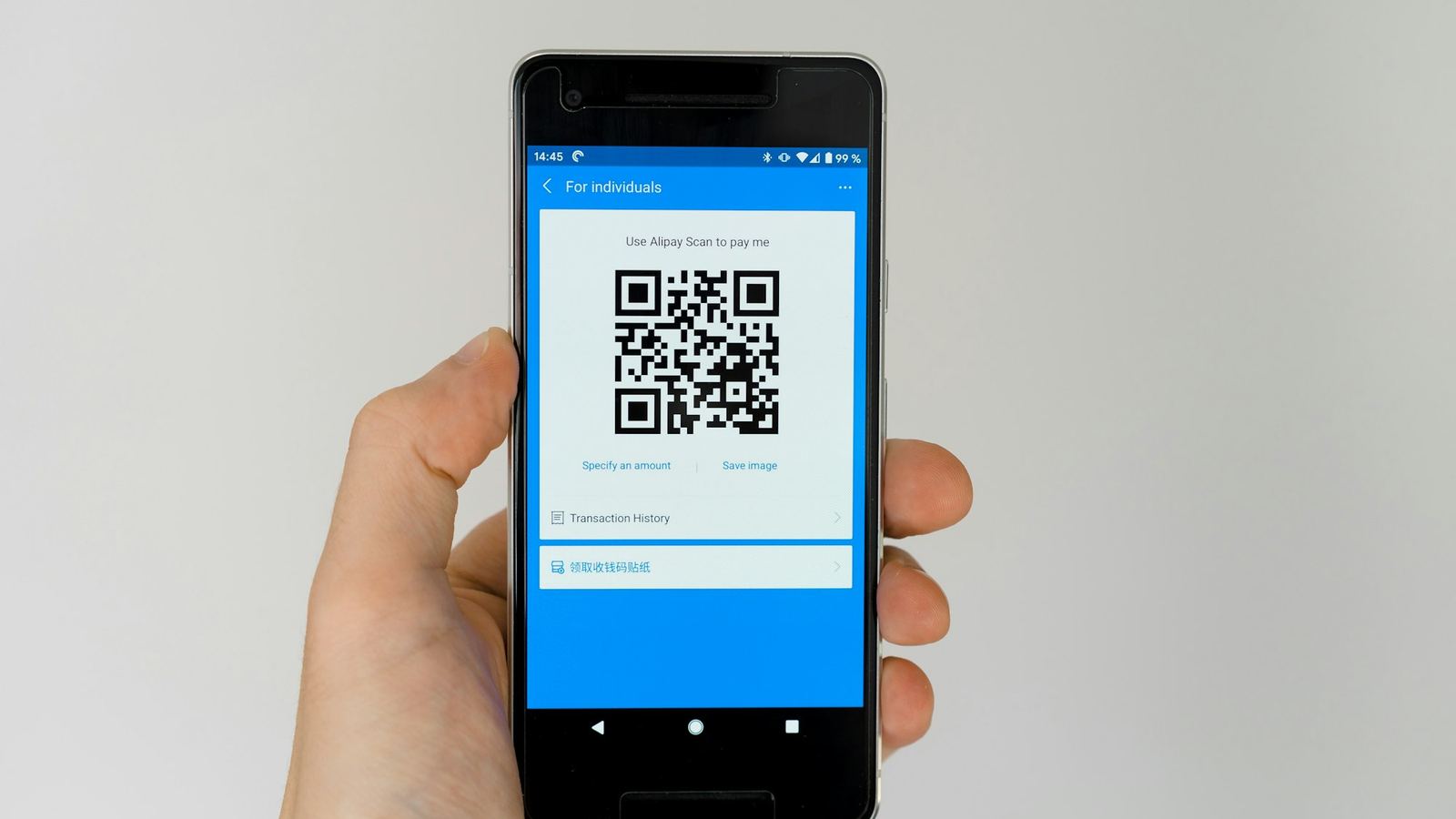
How to Track Offline Marketing (Flyers, Posters & Billboards) with QR Codes
Stop guessing whether your print marketing works. Here's how to use dynamic QR codes to measure flyers, posters, billboards and ads — scans by time, location, device, and channel.
Online marketing has a superpower offline marketing never had: you can see exactly what works. Every click, every visit, every conversion is measured. Meanwhile you print 5,000 flyers, rent a billboard, or run a magazine ad — and then… you guess. Did it work? Who knows.
QR codes quietly close that gap. Put one on anything printed, and every scan becomes a data point: how many people responded, when, where, and on what device. Here's how to actually track your offline marketing with QR codes.
Stop guessing what your print marketing does
Create a dynamic, trackable QR code and see every scan — free to start.
Why offline marketing is a black box
The problem isn't that print doesn't work — it's that you can't see it working. A flyer sends someone to your website days later, from their couch, and nothing connects that visit back to the flyer. So marketing budgets get spent on gut feeling instead of evidence.
How QR codes fix it
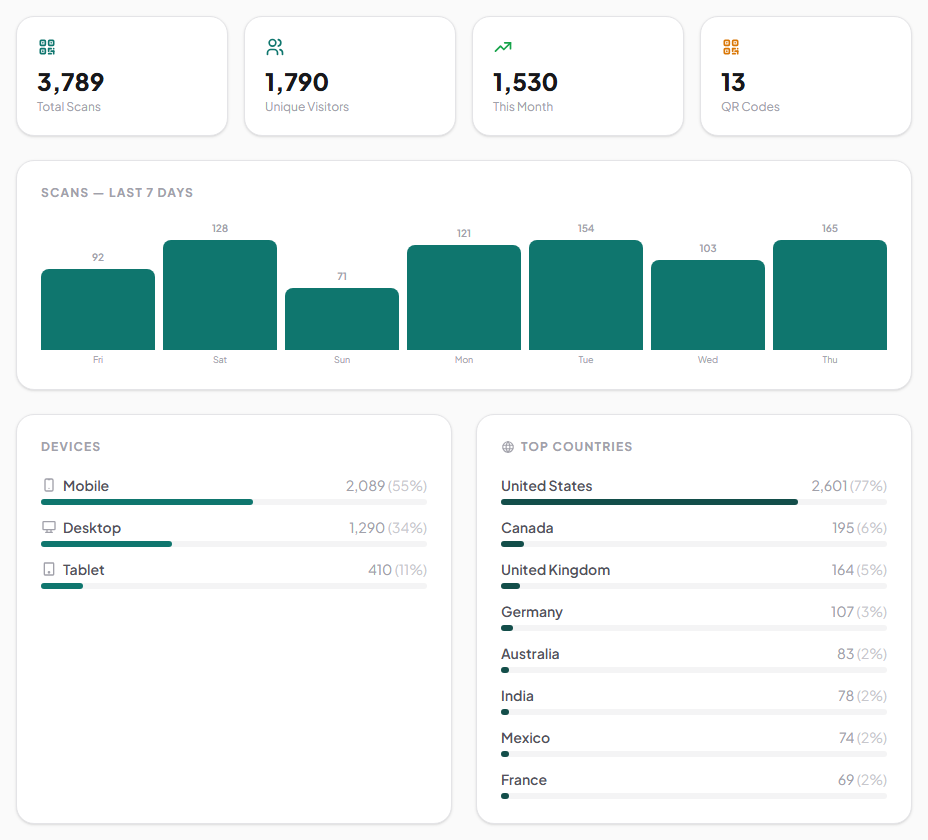
A dynamic QR code doesn't just open a link — it routes every scan through a redirect you control, and counts it on the way. That means for anything you print, you can see:
- How many scans it got, and the trend over time.
- When people scanned — which days and hours.
- Where — the general location of scans.
- What device they used.
Suddenly "did the flyer work?" becomes "the flyer got 340 scans, mostly on weekends, mostly on mobile." That's a decision you can act on.
How to do it in Drentio
- Make a dynamic QR code for each campaign — one for the flyer, one for the billboard, one for the magazine ad.
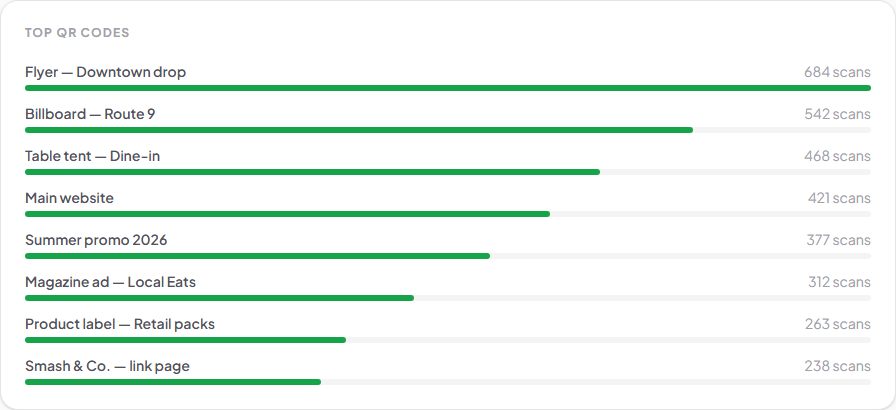
- Use a separate code per placement so you can compare them head to head. (Same offer, different codes — now you know which channel pulled.)
- Print and launch, then watch the scans roll in on your dashboard.
- Change the destination anytime — if a landing page underperforms, swap it without reprinting.
The trick is the separate code per placement: if the same offer runs on a flyer and a poster and a mailer, give each its own QR code. When the numbers come in, you'll know exactly which one earned its cost.
A quick example
Say you spend $500 on flyers and $500 on a local magazine ad, each with its own QR code. A month later the flyer code shows 620 scans and the ad shows 90. Same spend, wildly different result — and now you know where the next $1,000 should go. Without the codes, you'd have re-run both and hoped.
(Illustrative numbers — your results will vary.)
Tips to get clean data
- One code per placement. It's the whole point — don't reuse a single code across channels.
- Add a clear call to action next to the code ("Scan for 20% off") so more people actually scan.
- Keep the code big enough and high-contrast so it scans on the first try.
- Point it at a fast, mobile-friendly page — a slow page loses the very people you just measured.
FAQ
Can you really track a printed QR code?
Yes — a dynamic QR code routes each scan through a redirect that counts it, so you can see scans over time, by location and device, for anything you print.
Do I need a different QR code for each flyer or ad?
To compare channels, yes. Give each placement its own code, and the analytics tell you which one performed best.
Is QR code tracking free?
You can create dynamic, trackable QR codes on Drentio's free plan; deeper analytics and higher limits come with Pro ($9/mo).
Can I change where a printed QR code points after it's out?
Yes — dynamic codes let you swap the destination anytime without reprinting.
Put a number on your print marketing
Create a dynamic, trackable QR code with scan analytics — free to start.