Business Cards
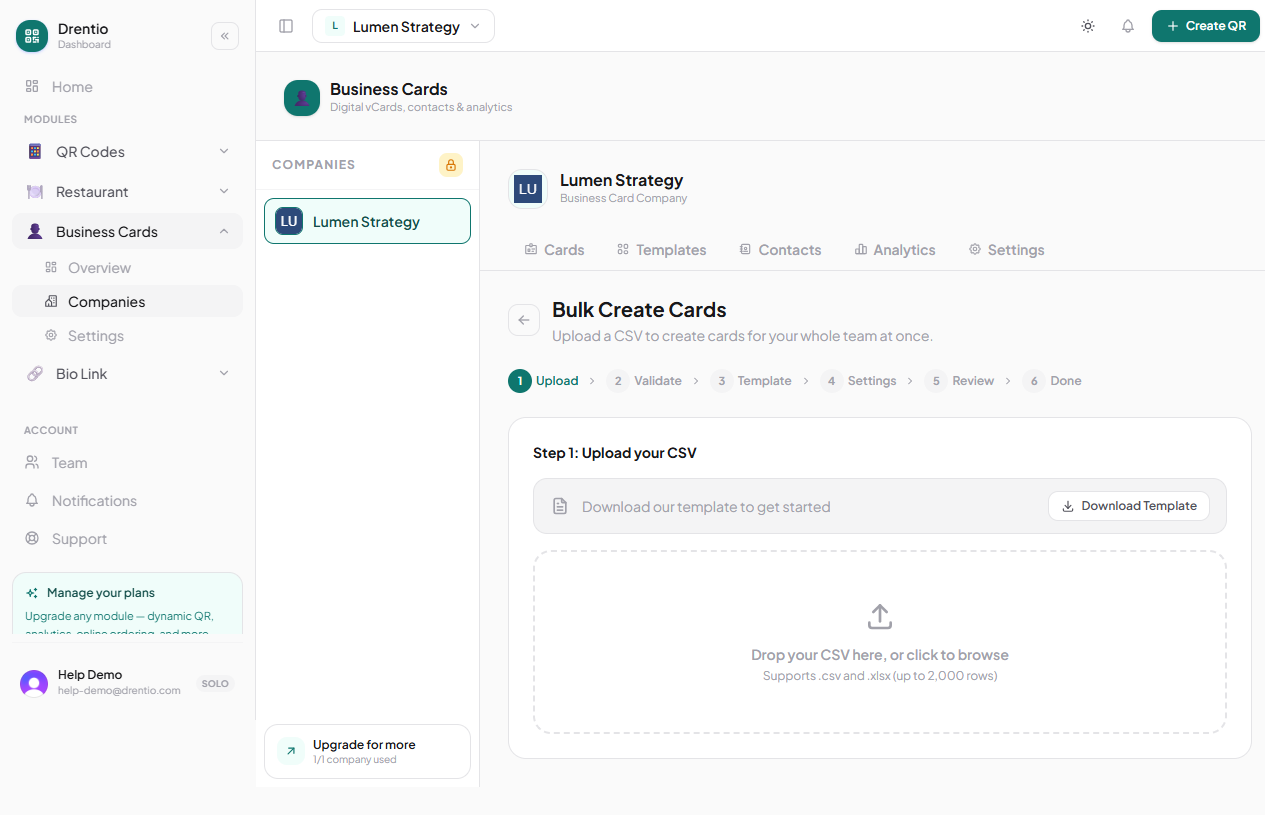
Bulk-create from CSV
Roll out 200 employee cards from one spreadsheet.
The single biggest BC use case: HR rolls out digital cards for every employee at once. Bulk import does this in one upload.
When to use it
- New-hire onboarding (one card per employee, branded company-wide)
- Annual employee directory refresh
- Acquisitions (issuing cards for the acquired team)
- Conference / event teams (one card per attendee staffing the booth)
CSV format
Required: firstName, lastName, at least one of emailWork / phoneWork / phoneMobile.
Recommended for HR rollouts:
firstName,lastName,jobTitle,department,emailWork,phoneWork,profilePhotoUrl,slug
Marcus,Reed,Founder & CEO,Leadership,marcus@smashco.example,+17185550101,https://cdn.smashco.com/team/marcus.jpg,marcus-reed
Aria,Tanaka,Head Chef,Kitchen,aria@smashco.example,+17185550103,https://cdn.smashco.com/team/aria.jpg,aria-tanaka
Diego,Park,GM Brooklyn,Operations,diego@smashco.example,+17185550104,https://cdn.smashco.com/team/diego.jpg,diego-park
The slug is the card URL (e.g. drentio.com/c/acme/marcus-reed). Auto-generated from name if omitted, but explicit is recommended for stable URLs.
How to bulk-import
Step 1 — Set up a template first
Per Templates — define your company branding + lock the fields you don't want employees overwriting (companyName, companyLogoUrl, primaryColor, etc.).
Step 2 — Prepare your CSV
Up to 2,000 rows per import. UTF-8 encoded, comma-separated. Test with a 3-row CSV first.
Step 3 — Open Bulk import
From the company's dashboard. Tap + Bulk import.
Step 4 — Map columns + assign template
The system reads your CSV header row and matches columns to card fields. Confirm the mapping. Pick a template to apply.
Step 5 — Review + commit
Preview the first 5 cards visually. If they look right, commit. If anything's off, fix the CSV and re-upload.
Step 6 — Distribute
Each new card has its own QR + page URL. Bulk-download all QRs as a ZIP. Email each employee their card URL + QR, or print physical NFC cards in batch.
Photos slow the import down. If each row has profilePhotoUrl pointing at an external CDN, the importer fetches each photo to verify it. 2,000 photos × 200ms each = ~7 minutes. Without photos, the same import takes ~30 seconds.
Plan note
- Pro+ ($9/mo)