Business Cards
Capture contacts back
Two-way: visitor saves your card, you collect theirs.
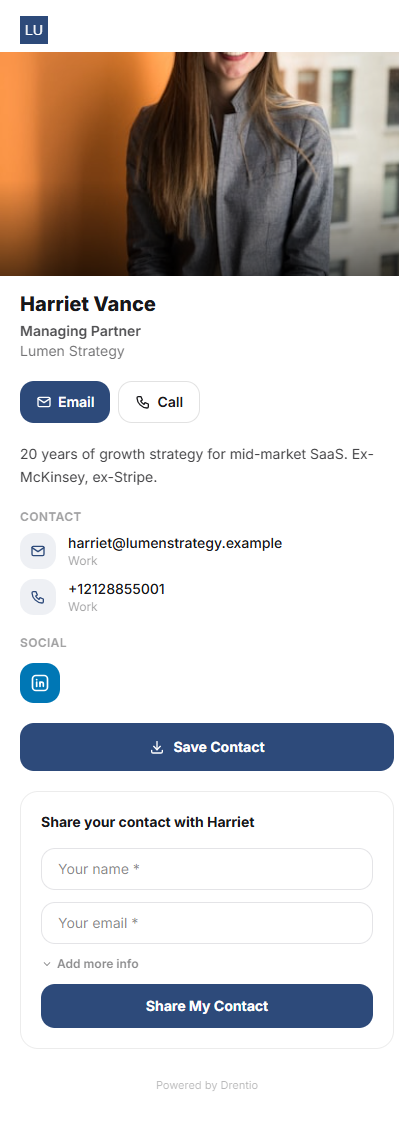
The killer BC feature: two-way exchange. A visitor scanning your card can save you to their contacts AND submit their own details to you in two taps. You walk away from every conversation with a lead, not a hope.
How it works
Step 1 — Enable contact capture
From your card editor → Settings → Contact capture. Toggle on. Pick which fields you want from the visitor: name (required), email, phone, company, notes (optional).
Step 2 — Pick a CTA position
Three placements:
- Sticky bottom button (default — highest conversion)
- Inline below contact details
- Modal popup after 8 seconds (use sparingly — feels aggressive)
Step 3 — Visitor fills the form
When they scan your card, a "Share your details" panel appears. They fill it in once; we store the submission against your card.
Step 4 — You get notified
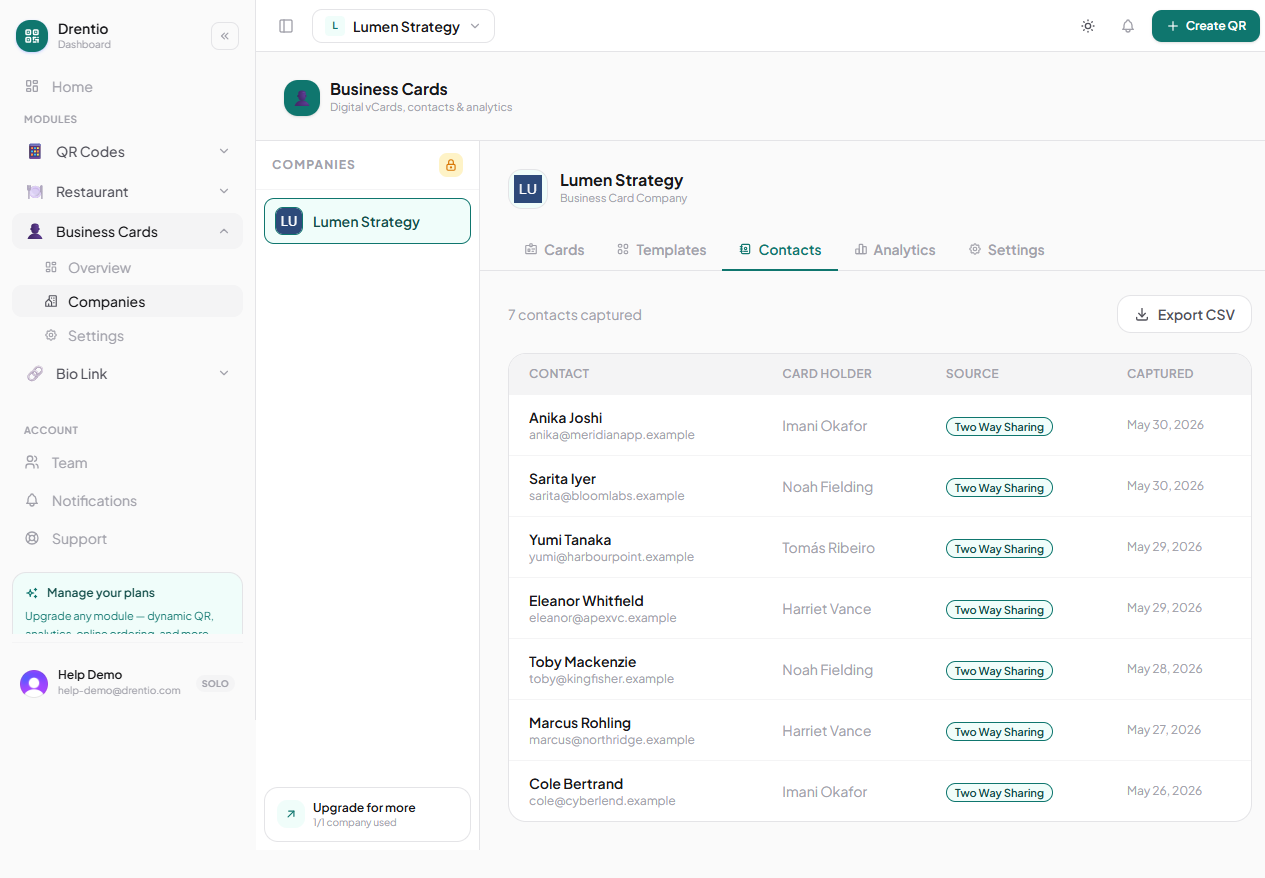
A new lead → instant email to you ("Aria Tanaka just shared her details from your card"). Lead also lands in Cards → Marcus Reed → Leads tab.
Lead management
The Leads tab shows every capture:
- Name, email, phone, company, notes
- Captured-at timestamp
- Device + rough location (city-level from IP)
Actions per lead:
- Export — CSV download of all leads
- Sync to CRM — push to HubSpot / Pipedrive / Salesforce (Business tier, $29/mo)
- Mark followed-up — for personal tracking
Conference networking trick. Hand someone your phone showing your card → they tap "Share your details" → fill name + email in 5 seconds → done. You both have each other's contact info AND you have it on your phone for follow-up that night. Beats fumbling for paper cards every time.
Plan note
- Capture form: Pro ($9/mo)
- CRM sync: Business ($29/mo)
GDPR / CCPA. The capture form auto-includes "I consent to be contacted by [brand]" with a required checkbox. Don't disable it — it's there for compliance. Lead data is yours; we don't share it.