QR codes
Reusable saved styles
Save a design once and reuse across codes (and other modules).
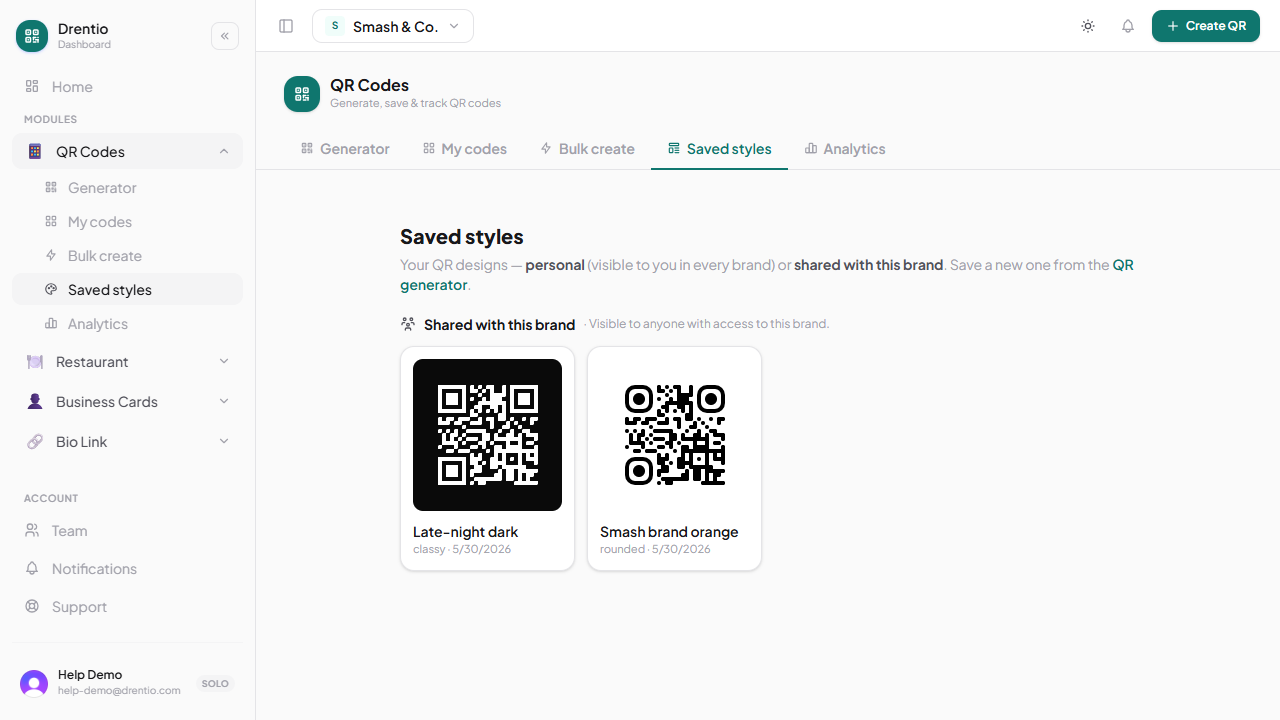
Saved styles are reusable design presets. Build a brand-themed QR look once → apply to every new code without re-customizing each time. Edit the saved style → every code using it picks up the change.
When to use them
If you make more than 5 QR codes and want them to feel cohesive, you want saved styles. A brand-themed style propagates your colors + logo + dot shape to every code in seconds.
How to create one
Step 1 — Design a code
Customize a QR design the way you want (colors, dots, eye shapes, logo, etc.).
Step 2 — Save the style
In the designer, tap the Save style button. Give it a name like "Smash brand orange" or "Late-night dark".
Step 3 — Apply on the next code
Create a new code. In the design panel, tap Saved styles. Click your style → the entire design applies instantly. Tweak from there if needed.
Cross-module reuse
Saved styles aren't just for QR codes. They power any "downloadable QR" surface in Drentio:
- Restaurant menu QR (store-level) + table QRs
- Business Card auto-provisioned card QR
- Bio Link page QR
Edit "Smash brand orange" once → every QR across every module picks up the change.
For consistent branding, set up your saved style FIRST, before creating any codes. New codes pre-apply your default style. Old codes (and old prints) keep their existing design until you re-export them.
Plan limits
- Free — 5 styles per brand
- Pro — 10 per brand
- Business — unlimited